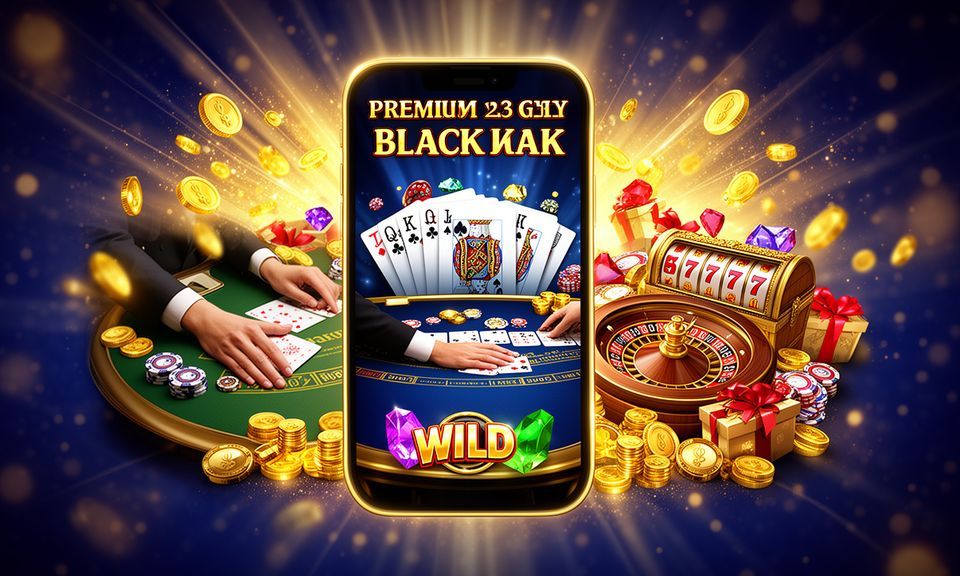
win133 lobby snapshot
LOBBY FIRST LOOK

See the win133 lobby in one view

Slots, live tables, fishing rooms and sports screens sit side by side so your next area is easy to reach.

SlotsLive CasinoTable GamesFishingSportsbook
STUDIO PARTNERS

Studios powering win133 games

Pragmatic Play, PG Soft and Spadegaming sit alongside other familiar studios so the home lobby feels recognisable before you open a room.

Pragmatic Play
PG Soft
Habanero
Microgaming
CQ9
Joker
Spadegaming
PlayStar
JDB
New members

Account offers to check

win133 Casino
Casino
Eligible casino account reward
For new members

Casino offers may appear by account status, selected rooms and current promo terms. Terms apply.

Open your account
win133 Sportsbook
Sportsbook
Eligible sportsbook account reward
For new members

Sportsbook offers may depend on market availability, account checks and the current promo board. Terms apply.

Open your account
LOCAL WALLET

Payment methods for Malaysia

Your wallet sits close to the home lobby because account funding should be easy to check before you choose a game.

Touch 'n Go
GrabPay
Boost
FPX
5 easy steps

Get started from home

01

Register

Create your account with the required details.

02

Deposit

Choose Touch 'n Go, GrabPay, Boost or FPX from the wallet.

03

Choose a game

Pick slots, live tables, fishing, crash rooms or sportsbook.

04

Play

Enter the room and keep your session controls visible.

05

Withdraw

Send a withdrawal request and complete any account checks.

WORTH OPENING

Pages that help your first session

The home page is the front door, but a few areas deserve a closer look before you settle in.

Game rooms
Local account flow
This week
Support routes
Access terms
win133 mobile gaming
Google Play App Store
STARTING POINTS

First checks before you jump in

Your first minutes on the home page should answer the practical questions: how to create access, what the lobby carries, where the wallet sits and how your profile is protected.

01
Get started Open your account from the main button, add the requested details and check the confirmation message before moving into the lobby or wallet area.
02
Account basics Your profile keeps login details, wallet status, promo board access and support history in one place, so you can see what needs attention.
03
What is available The home lobby points you towards slots, live casino, table games, fishing rooms, Crash X and the sportsbook without making you change pages.
04
Account safety We use password checks, session monitoring and withdrawal verification to help keep account changes and wallet requests tied to your own login.
HELP ROUTES

Fast help without leaving home

Support should be easy to reach when login, wallet or game loading questions appear.

Live chat Use chat for active login, wallet status or lobby loading questions when you need…
Email Email suits account checks that need documents, longer explanations or transaction references, especially when…
Mobile help The phone menu keeps support close to the wallet and lobby, so you can…
PHONE READY

Your lobby follows your screen

The mobile home view keeps the main lobby, wallet and support buttons within thumb reach.

Quick login
Touch controls
Live table cards
Slot filters
Wallet status
Support button
win133 mobile gaming
Google Play App Store
Mobile & desktop

Use any screen

Your account, wallet status and lobby path work across phone, tablet and larger screens, so you can return without learning a new layout.

Google Play App Store
win133 desktop
win133 mobile
SAFE ACCESS

Why the account feels controlled

The safest account flow is the one you can understand. We make login, wallet status, session checks and support access visible from home, then verify sensitive requests before they move ahead.

01
Mobile-first screens Buttons, wallet prompts and lobby cards are sized for phone use first, so you can complete basic account actions without pinching the screen.
02
Session checks Login activity is monitored for unusual changes, and you may be asked to confirm details when the system needs another check.
03
Withdrawal matching Withdrawal requests may be checked against your account details, helping keep wallet movement connected to the right person and profile.
04
Game fairness cues Studio names, table labels and category pages help you see which provider runs a game before you enter the room.
ACCOUNT CLARITY

Signals that help you decide

We want the home page to answer practical questions before you share details or enter a game.

Clear page structure

Game rooms, wallet access, support and terms are separated into visible areas, so you can find the next step without…

Policy access

Account terms, promo conditions and access rules are linked near the relevant actions, helping you read them before you proceed.

Contact paths

Chat and email routes give you a place to ask about login, wallet status or game loading without leaving the…

Traceable account flow

Wallet requests and profile changes show status messages, which makes it easier to follow what happened during your session.

WHY HOME HELPS

A clearer path than scattered links

Finding games through random links can leave you unsure about wallet status, account safety or which studio runs a title. The home page keeps those checks together.

01

One account path

Instead of jumping between saved links, you begin from the same home area and reach games, wallet and help from there.

02

Visible wallet status

Local wallet choices and request status sit close to the lobby, so you can check account readiness before choosing a room.

03

Clear game grouping

Slots, live casino, table games, fishing and sportsbook screens are separated by category, reducing wrong clicks and repeated searching.

04

Support nearby

If something does not load, the help routes are already on the site, not hidden behind unrelated social posts.

05

Terms in context

Promo and access terms are placed near account actions, helping you read the relevant details before you continue.

06

Same device flow

Phone and larger-screen layouts keep the same main areas, so switching devices does not change how you find the lobby.

Know the pace before choosing

Different game categories behave differently, so the home page separates them by rhythm and format.

SlotsReel games vary by volatility, feature frequency and round speed; check the game panel before entering.
Live BaccaratDealer tables move in timed rounds, with seat availability and table status shown before you join.
RouletteRoulette screens show table type and betting window timing so you can enter at the right moment.
Crash XCrash-style rounds are short and timing-based, so session controls should be checked before each entry.
FishingFishing rooms use arcade targets and room settings, creating a different rhythm from cards or reels.
HOME SIGNALS

Clear numbers from the home page

6
game areas shown on home
4
Malaysia wallet choices
3
support paths
1
connected lobby
MALAYSIA ACCESS

Built around supported local regions

The home page is written for Malaysia and uses local wallet names, regional language cues and access checks that fit a local account journey. Whether you browse from Johor Bahru or another supported area, eligibility depends on local law and is available where local law permits. We keep the map reference practical: it points you back to account access, wallet choices and help routes rather than making location claims we cannot verify.

Kuala Lumpur, Malaysia
BRAND MARKERS

Six reasons the home page works

A useful home page does more than show banners. It should help you understand what is available, how the wallet behaves, where help sits and which account checks matter.

01
Real game names You see titles such as Aviator, Mahjong Ways, Control Squeeze and Thunder Fishing, which makes the lobby easier to judge before entry.
02
Local wallet row Touch 'n Go, GrabPay, Boost dan FPX appear as local choices, so you can confirm account fit early.
03
Readable categories Casino areas are split into slots, live tables, table games, fishing and crash rooms, not buried under one broad label.
04
Account prompts The main buttons focus on opening an account, accessing your profile and exploring the lobby without using hard-sell wording.
05
Help in reach Support links stay close to account controls, so you can ask about login, wallet status or loading issues quickly.
06
Region wording Access language stays clear that eligibility depends on local law and is available where local law permits.

FAQ

These answers focus on the home page and the account path it opens. They cover Malaysia access, game rooms, wallet checks, mobile use and support routes so you can understand what to do before entering the lobby or creating an account.

You can open an account, access the lobby, check local wallet choices, read key terms and reach support. The page is arranged to keep those actions close together.

The home wallet row shows Touch 'n Go, GrabPay, Boost dan FPX. Availability can depend on account status, verification and local access rules.

Access depends on local law and is available where local law permits. The home page uses Malaysia wording, but your eligibility still needs to match local requirements.

Slots and live casino sit near the front, with titles such as Mahjong Ways, Sweet Bonanza, Control Squeeze, Three Card Brag, Crash X and Thunder Fishing.

Withdrawal requests may be matched against your account details before processing. This helps connect wallet movement to the correct profile and reduces avoidable account issues.

Yes. The home layout is made for phone browsing, with account buttons, wallet status, lobby cards and support links kept within easy reach.

Use live chat for quick site questions or email for cases that need screenshots, transaction references or longer account details. Both routes are linked from home.
SITE PATHS

Find your way around win133

Use the home page as your starting point each time you return. The first area opens account actions and wallet choices, the middle sections show game categories and studios, and the lower…

Start at the header

Open account access, member login and lobby browsing from the header before moving into game or wallet areas.

Check the lobby cards

Use category cards to compare slots, live tables, fishing and crash rooms before opening a specific title.

Read wallet status

Look at the wallet panel after each request so you know whether action is completed, pending or needs another check.

Use help when needed

Contact support from the home help area with your account email, device type and any useful transaction reference.